
Guide
Fútbol Libre Buffering: The Fixes That Actually Work, in Order
A stalled channel page is not a mystery. Work this list in order: reload once, check the connection, move closer, and know when it is the busy hour.

INDEX In this edition
Live video stalls for a short list of reasons, and each has a fix. Work this list in order and most Fútbol Libre buffering ends at step one or two, from the troubleshooting sessions behind Fútbol Libre.
Step one: reload the channel page, once
Every channel page carries a green reload button for exactly this moment. Tap it once and give the player several honest seconds. A page that loaded before its signal settled, or that caught a bad moment on the connection, usually comes back clean. Reloading repeatedly does not help; it restarts the wait each time and turns a ten-second fix into a two-minute sulk.
Step two: judge the connection, not the app
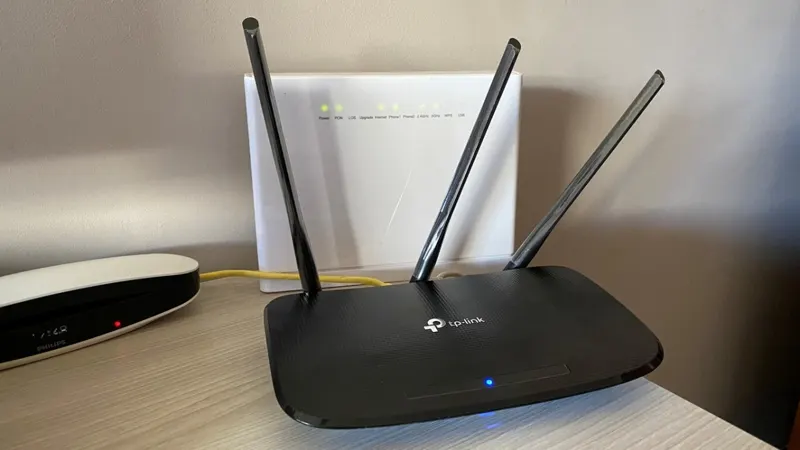
Live streams need steadiness more than raw speed. If the picture breaks at the far end of the house and holds near the router, the app has told you the diagnosis itself. Move closer, or move the router's evening traffic out of the way: another big download or upload in the household is the classic hidden cause. Our best settings guide covers the phone-side habits that keep a modest connection honest.
Step three: restart the session, cleanly
If reload and position both fail, close the app fully and reopen it, then go agenda, then channel, in that order. A clean session rebuilds whatever the stalled one tangled. Restarting the phone itself is the last resort, rarely needed and worth doing only when other apps are also misbehaving.
The busy-hour exception
At the most popular start times, many viewers arrive at the same pages in the same minutes, and loads can slow for everyone at once. The fix is timing rather than technique: open your channel page a few minutes early, and if a stall hits in the first minutes, one reload a little later lands better than three at once. If problems persist across days and hours, the common problems guide takes the investigation deeper, and our download page always carries the current build if you suspect yours has gone stale.
What buffering is not
It is not a sign the tiny app is underpowered: a 77 KB window does not struggle to exist, it struggles only when the stream behind it struggles. Nor is it usually a phone fault, whatever the forums say at midnight. Treat buffering as weather: mostly passing, occasionally worth dressing for, and very rarely a reason to rebuild the house. That calm ordering of fixes is most of what experienced Fútbol Libre viewers actually know.
The two-minute drill, summarised
Reload once. Check where you are standing and what else the connection is carrying. Restart the app cleanly if both fail. Wait out the busy minutes at a big start time instead of fighting them. Four moves, two minutes, and the overwhelming majority of stalled evenings are back under way, which is why this guide puts them in order and asks you to trust the order before improvising.
Quick Answers
Why does the reload button fix most stalls?
A stalled page is often a page that loaded at a bad moment. Reloading re-fetches the channel and its player together, which clears the bad moment in one tap.
Is my phone too old for streaming here?
Unlikely. Android 7.0 and up runs the app; buffering is almost always a connection story, not a phone story.
Should I reload many times quickly?
No. Reload once and wait several seconds. Rapid reloads restart the loading each time and make the wait longer.